Supply chain management system

Logistics

Overview

How Rensai Labs automated finance, procurement, and multi-branch logistics in one SCM platform

Team & Tech Stack

Team

  • Project Manager
  • 3 Full-Stack Developers
  • QA Engineer

Technology Stack

  • Frontend: JavaScript, Apache Wicket
  • Backend: Java, JavaScript, Spring, Hibernate, Maven, JSON
  • Databases: MySQL, MongoDB
  • Other: NGINX, Git

Context

The client is an international software development outsourcing provider operating across multiple business domains, including supply chain management (SCM), fulfillment, CRM, financial services, IT, media replication, and printing.

Objective

  • Automate invoice processing and VAT calculation, reducing the finance team’s manual workload for document reconciliation in SAP ERP.
  • Streamline data exchange between the logistics application and the corporate tendering service.
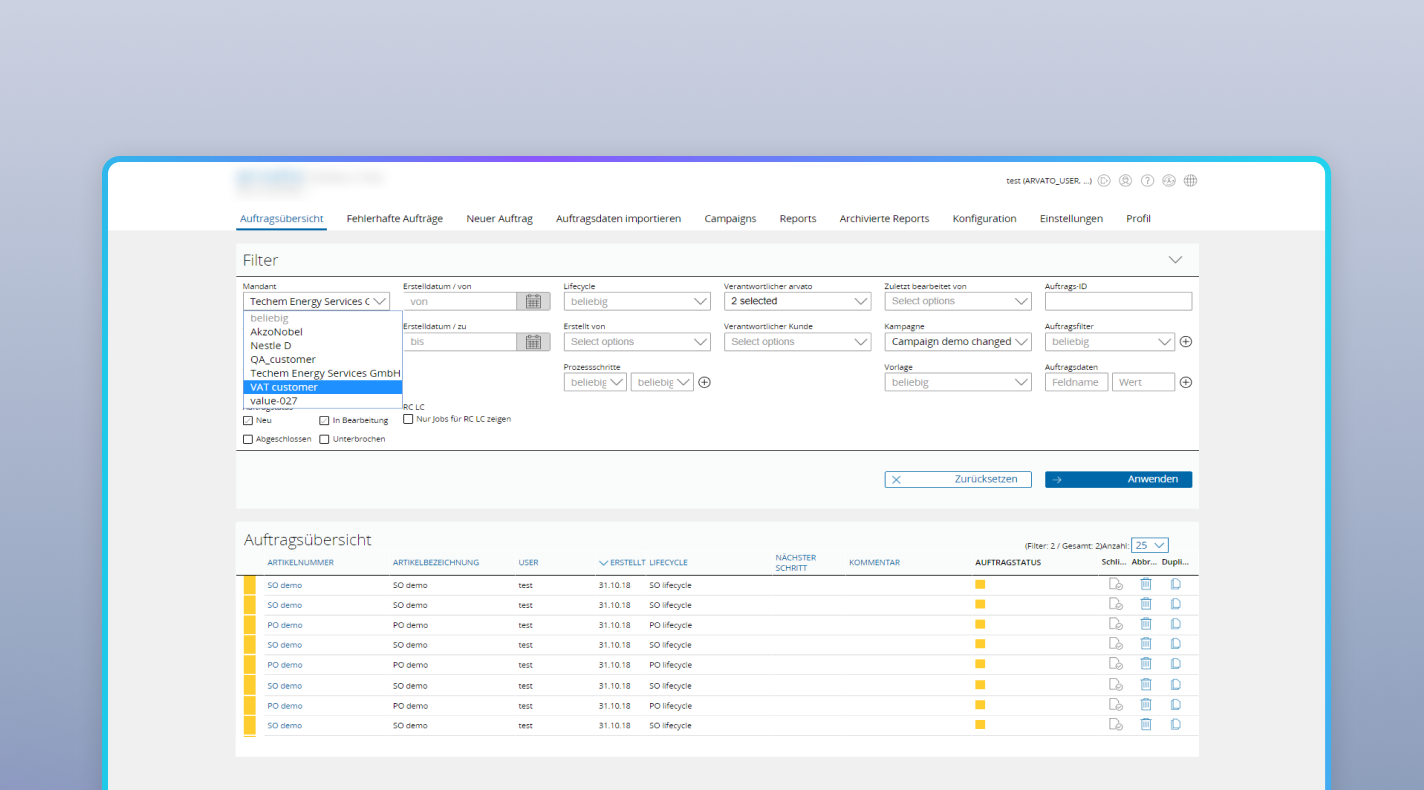
  • Optimize order allocation across multiple company branches.
  • Protect confidential business information and improve navigation through the archive with full-text search.

Methodology

Rensai Labs organized development in Scrum sprints and provided stage-by-stage estimates and detailed progress reports. At the end of each sprint, the team ran live demos, collected stakeholder feedback, and adjusted the backlog accordingly.

Challenge

Processing incoming invoices in SAP ERP was a fully manual process. Employees also had to manually adjust all parameters affecting the total value-added tax (VAT) amount for each project, significantly increasing the finance team’s workload.

Where is manual work slowing down your supply chain?

Let’s find the bottlenecks. Rensai Labs will review how your logistics workflows connect with SAP or another ERP system and your tendering platforms, then show what can be automated. Relevant client references are available privately under NDA.
30 minutes. No commitment.

Solution

We developed a web application and integrated it with the corporate tendering service built by our team. The SCM application prepared project data and generated XML order files for the tendering process, while the tendering system handled supplier notifications once a tender was launched.

Rensai Labs integrated the application with SAP ERP, enabling automatic processing of incoming invoices instead of manual entry.

Step 1

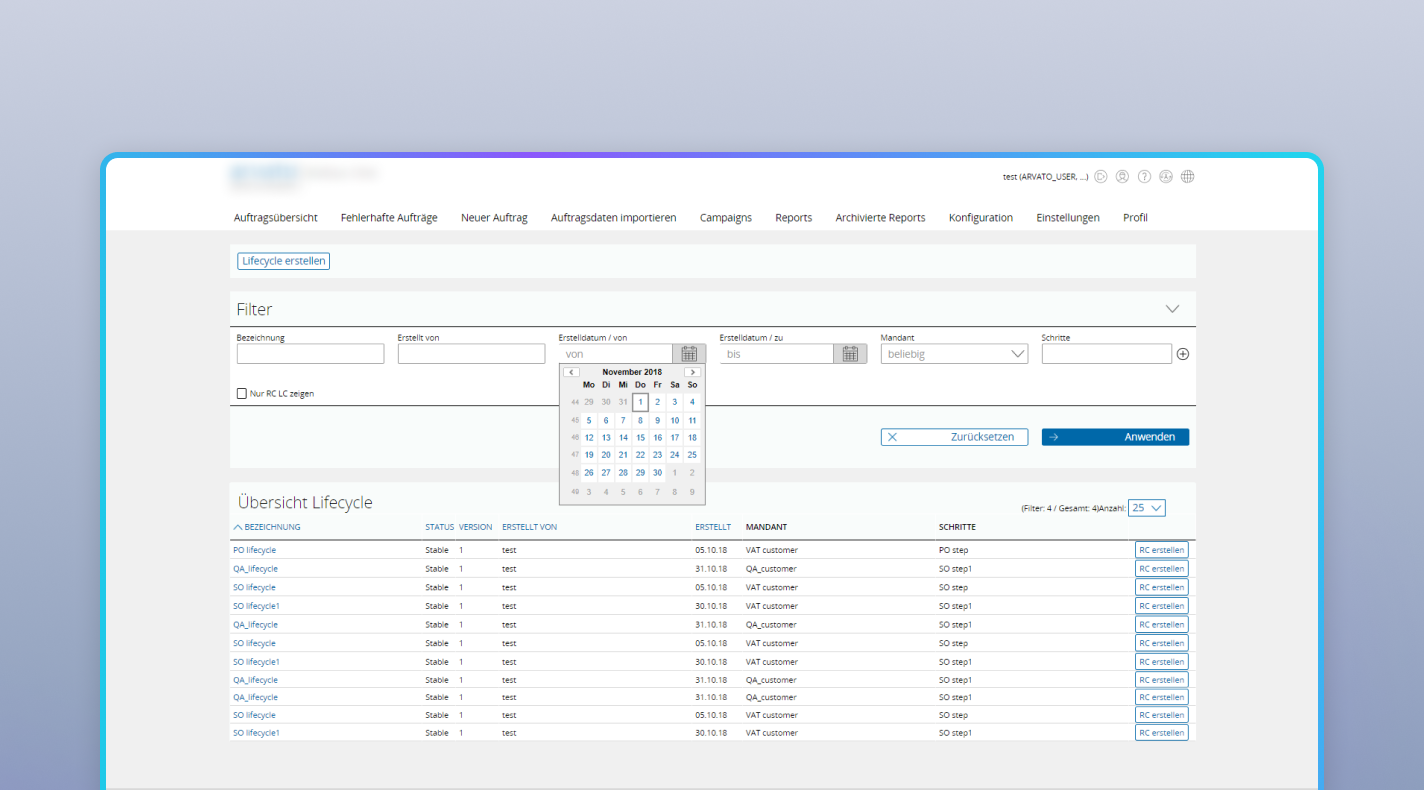
We created a VAT calculation feature that allowed users to import an Excel file into the application, after which the system automatically calculated the tax amount for each project.

Step 2

Our experts added full-text search so users could search project specifications directly instead of relying on project names alone.

Step 3

Enterprise Functionality

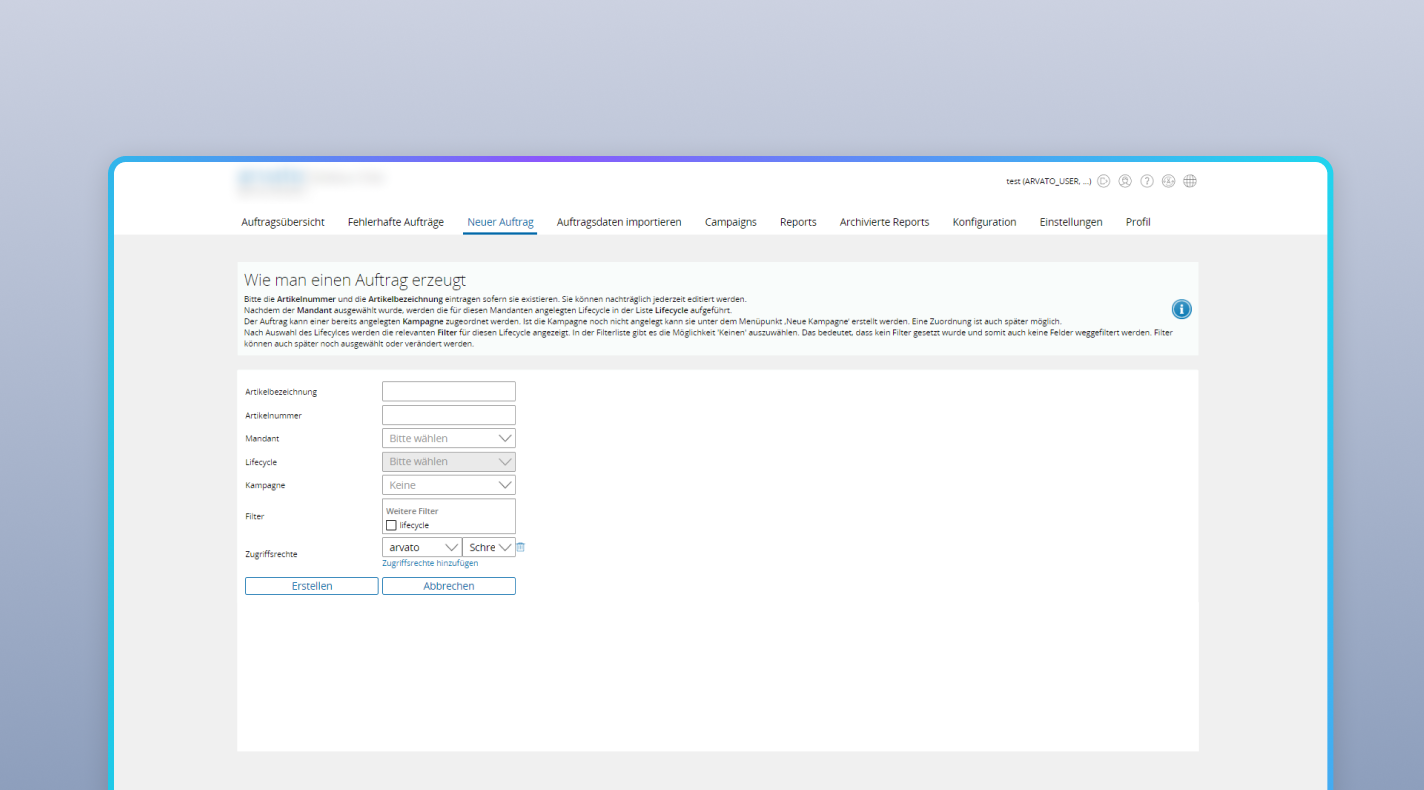
Products were often ordered for multiple branches, with separate delivery and invoicing required for each office. A single Campaign can cover a multi-branch order and include as many branch-specific projects as required – employees create one project, generate the required number of copies, and adjust the data for each branch manually. At the Campaign level, teams can manage tender system integration for individual projects or all projects at once, with reporting tools covering both project-level and consolidated reports.

Security

The application handled confidential commercial data, so we implemented the following safeguards:

  • Protected data transfer between the client and the service using SSL/TLS encryption
  • Implemented user authentication
  • Configured employee access rights and data visibility
  • Implemented data backups

Working Cycle

Upon receiving a delivery request, the logistics employee creates a new project in the application, entering the product details, quantity, and delivery address.

Step 1

The employee generates an XML order file semi-automatically and uploads it to the corporate tendering system. Upon launch, the system automatically sends notification emails to all matching suppliers.

Step 2

Once suppliers have been selected and contracted, the tendering system generates a return XML file. After this file is loaded back into the SCM application, the system automatically populates the project with supplier profiles, final costs, and delivery timelines.

Step 3

When production is complete and the supplier delivers the goods to the logistics warehouse, the employee logs this milestone in the application and arranges final shipping to the customer’s office.

Step 4

The system automatically generates the customer invoice and supports the final billing process. Once the customer completes payment, the project status is updated to closed.

Step 5

Results

Key Benefit Before: Manual Process After: Automation
Reduced routine workload for the finance team Manual invoice entry in SAP ERP and manual adjustment of VAT calculation parameters for each project. Automatic processing of incoming invoices in SAP ERP and automatic VAT calculation through Excel file imports.
Faster procurement and supplier selection Logistics operations were completely isolated from the tendering platform, causing delays in finding suppliers. Semi-automatic export of XML orders to the tendering system with automatic email notifications sent to suppliers.
Hours saved when scaling orders across branches Manual duplication of identical specifications from scratch when placing orders for multiple company branches. Projects grouped into Campaigns, with master-template cloning and adjustment of branch-specific addresses and prices.
Improved access to archived specifications Slow search through historical data, limited to finding documents by project name only. Instant full-text search across internal content and specifications of archived projects.
Reliable protection of confidential commercial information High risk of data exposure due to unencrypted communication channels and the lack of differentiated employee access rights. A secure environment with SSL/TLS encryption, strict authentication, role-based access controls, and regular backups.

Your logistics operation may be different. The integration problem usually isn’t.

We’ll review your workflows, integration points, and technical constraints, then recommend the most practical path forward.
30-minute call → Free audit → Proposal within 5 days