CAD Application for Electronic Components

3D modeling softwareBackend developmentConstructionEnergyFrontend modernization

Overview

A CAD application for creating 3D models of components from the field of distribution and control equipment.

Key Business Outcomes:

  • Minimization of engineering and assembly errors
  • Faster quote calculation and sales cycle execution
  • Higher repeat sales through custom client libraries
  • Optimized revision workflows and team collaboration

Team & Tech Stack

Team

  • Project Manager
  • Business Analyst
  • Backend developer
  • 2 Frontend developers
  • 6 Full-stack developers
  • 2 QA Engineers

Technology Stack

  • Backend: Java 6, Spring, Hibernate, JasperReports, Blender, Python, Node.js 8
  • Frontend: Angular 6, Three.js
  • Database: SQL Server

Context

The client is a world leader in terminal and connector manufacturing with unique spring clamp technology based in Europe. It produces components for electrical connections and electronic components for automation systems.

Objective

The main Rensai Labs goal was to develop a CAD (computer-aided design) application for creating 3D models of components from the field of distribution and control equipment.

Methodology

The project was executed following the classic Waterfall development model. It was the best fit in terms of a clearly defined budget and strict requirements.

For more transparent and flexible communication, the client provided access to their internal project management system, where they could monitor work progress. The client could always contact the team via Skype (and Microsoft Teams later) to resolve urgent issues.
Challenge

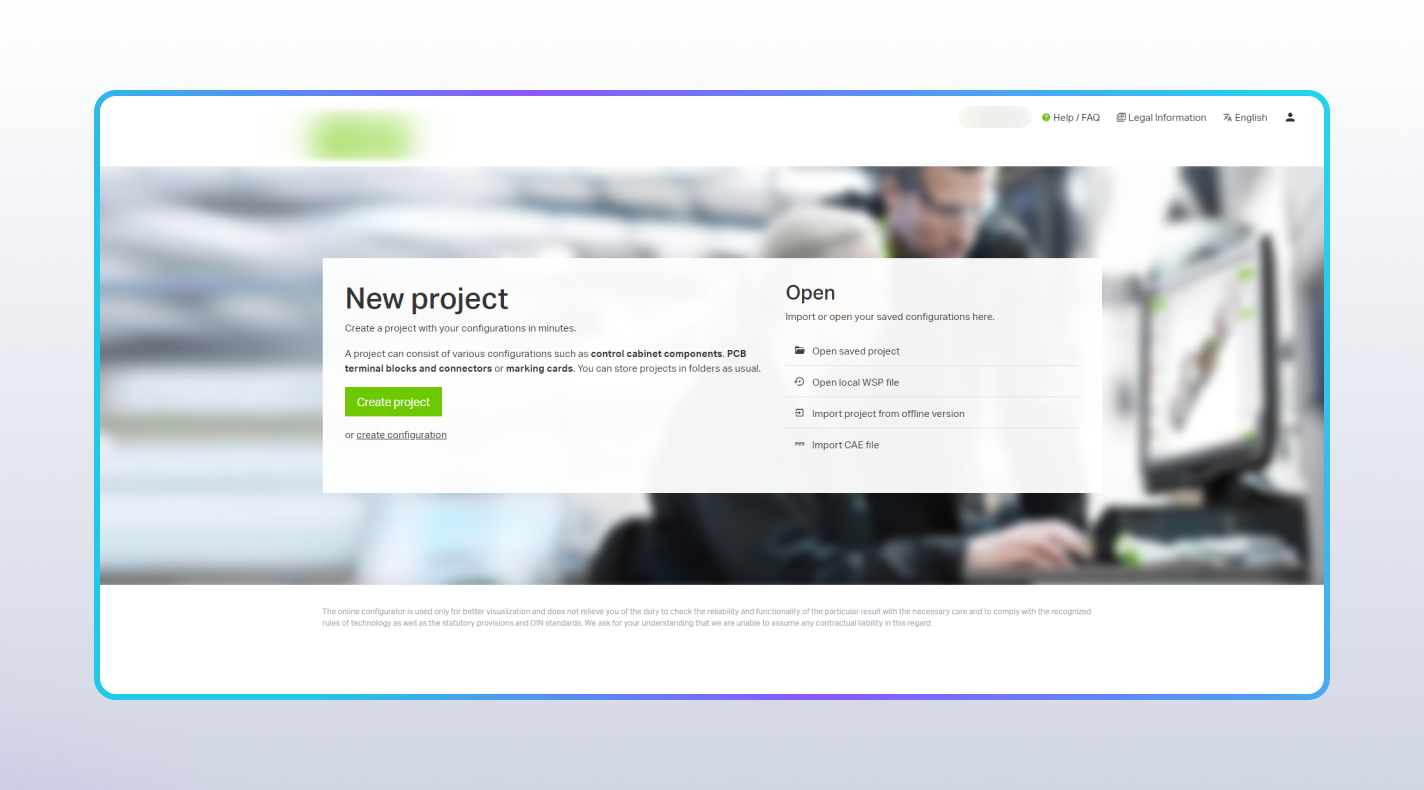
The client needed to develop a web application for designing components, managing power distribution systems, and handling manufacturing and ordering processes. To fulfill these requirements, the team had to address several key operational and technical challenges.

Without automated assembly checks, engineers could configure component combinations that looked correct on screen but could not be manufactured.

Facing Similar Challenges?

Broken data flows, manual design errors, and legacy system bottlenecks can severely limit your operational efficiency. The Rensai Labs engineering team has a proven track record of solving these exact pain points for complex industrial applications.

Book a free architectural consultation to get a custom solution tailored to your business needs.

Solution

The Rensai Labs team developed a CAD system for creating 3D models of components from the field of distribution and control equipment and managing production processes.

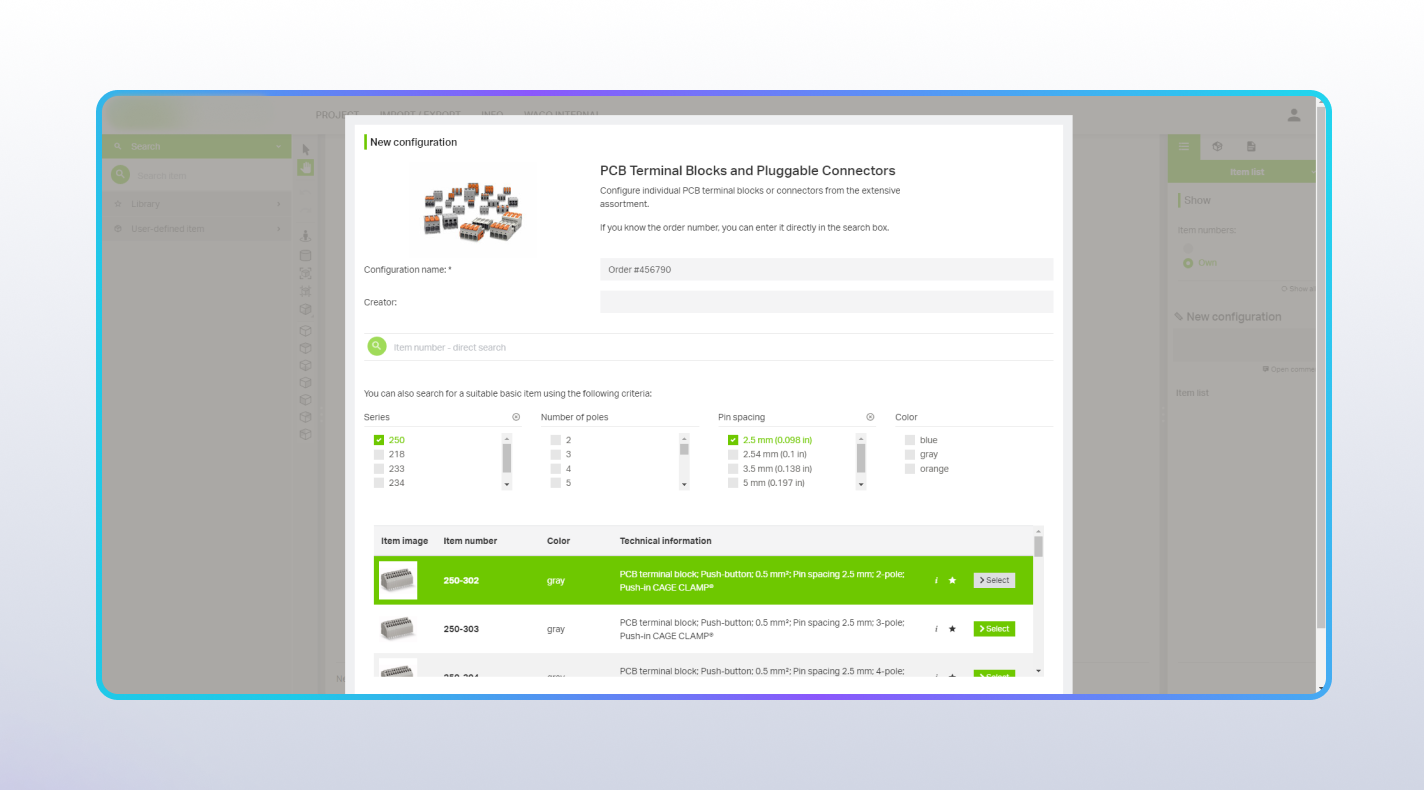
The system allows working with three project categories: electrical connectors for DIN rails and junction boxes, connection terminals for printed circuit boards, and marking cards. Each part can be customized by color, size, markings, etc. Labels created in the application can be directly sent for printing.

The app allows the creation of multiple project versions. Each version can be edited, commented, and monitored separately. All projects can be shared via a link sent by email, re-assigned within the system when transferring rights between customers or customer employees, or exported as an XML file.

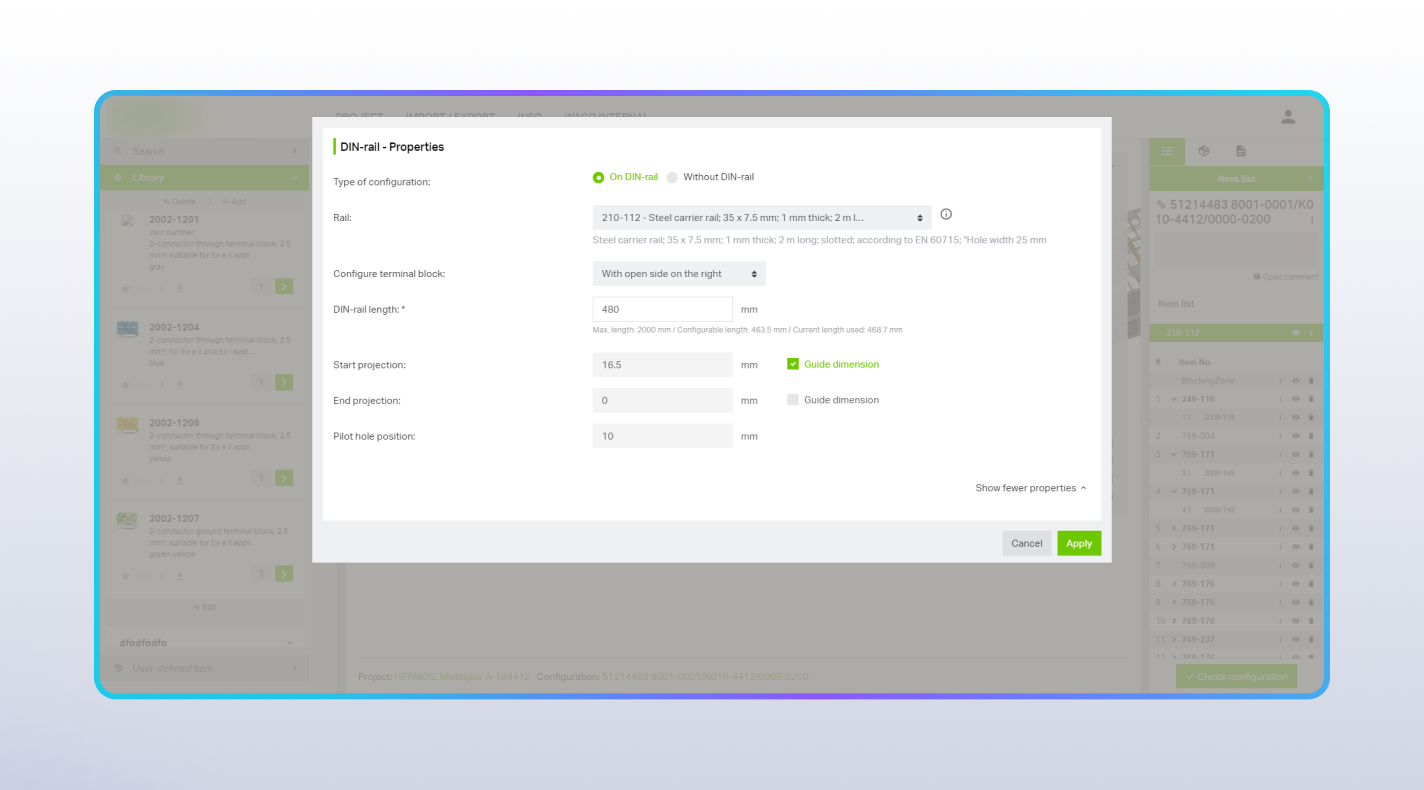
Uploading and processing 3D parts individually, setting dimensions, compatibility, and attachment points for auxiliary accessories.

  • Combining multiple individual components into a single composite article
  • Importing data via XML from third-party systems (ERP, CAE, e!Cockpit, WSIX) to link 3D models and their characteristics
Step 1

Zooming, rotating, and hiding specific elements so they do not interfere with processing nearby parts.

  • Customizing color, size, and markings, with the ability to send labels directly to print
Step 2

Creating user-defined libraries for favorite products and sets.

  • Assigning custom names to products (the system displays both the original and custom names simultaneously)
  • Exporting geometric data for production processes and sales documentation preparation
Step 3

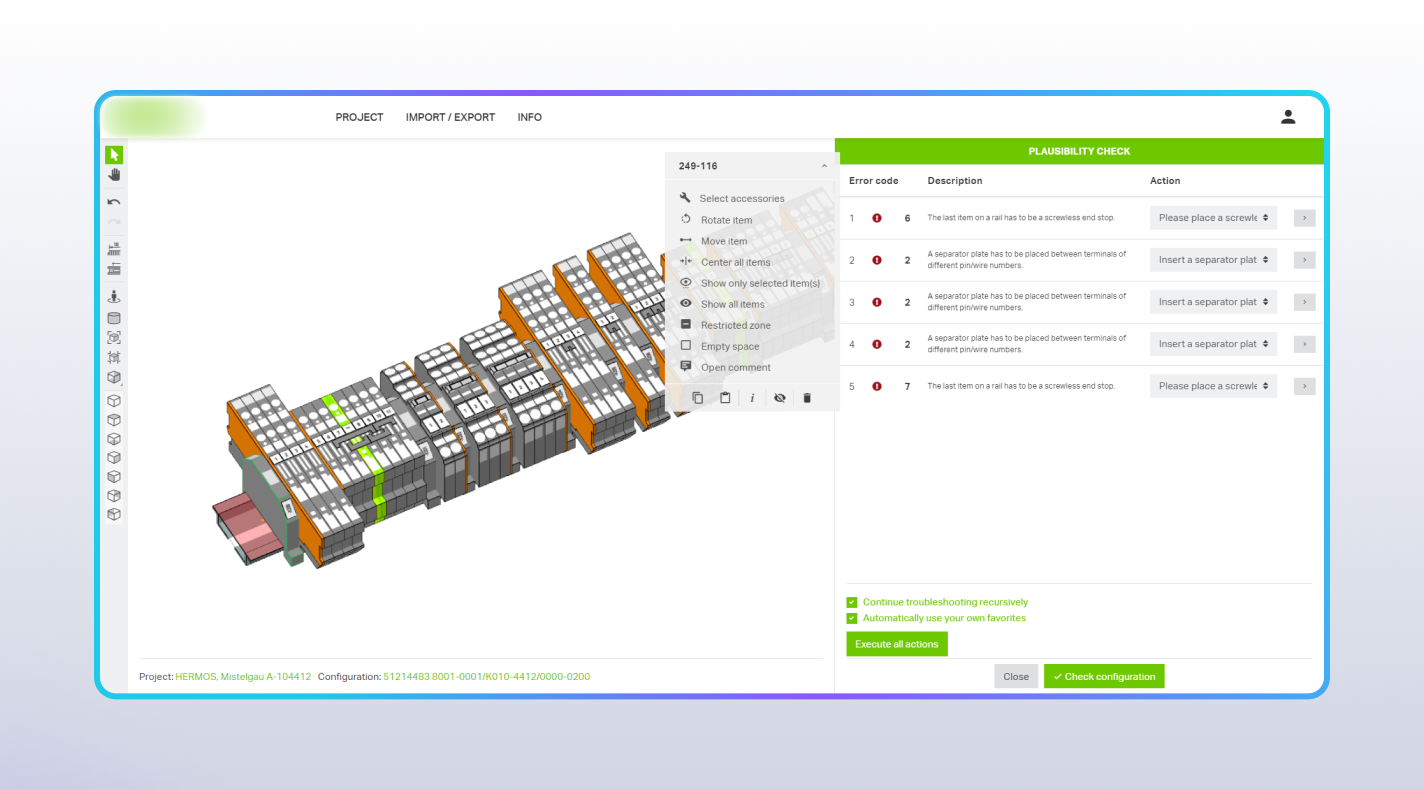
Integrating the Drools rule engine for automated assembly rule checks.

  • Generating dynamic recommendations and suggestions for engineers based on the equipment type and category specs
Step 4

Supporting project versioning: editing, tracking, commenting, and reverting to previous versions.

  • Audit trail / modification history tracking actions made by different users
  • Adding comments to parts by both customers (for new feature requests) and validator engineers prior to manufacturing
Step 5

As part of the project’s continuous evolution, our team also participated in the project migration from Flex to HTML5.

  • Successfully transferred the existing functionality
  • Added new features to the system
  • Modernized and updated the overall application design
Step 6

At all stages of interaction with the program, HTTPS protocols and encryption are used. Keeping in mind the requirements for users’ data protection, Rensai Labs specialists developed the application following the General Data Protection Regulation (GDPR).


Step 7

Results

Our client received an enterprise-grade CAD platform that optimized 3D layout design, streamlined order processing, and bridged the gap between engineering and manufacturing.

  • Prevented sizing and component compatibility issues using the Drools rule engine
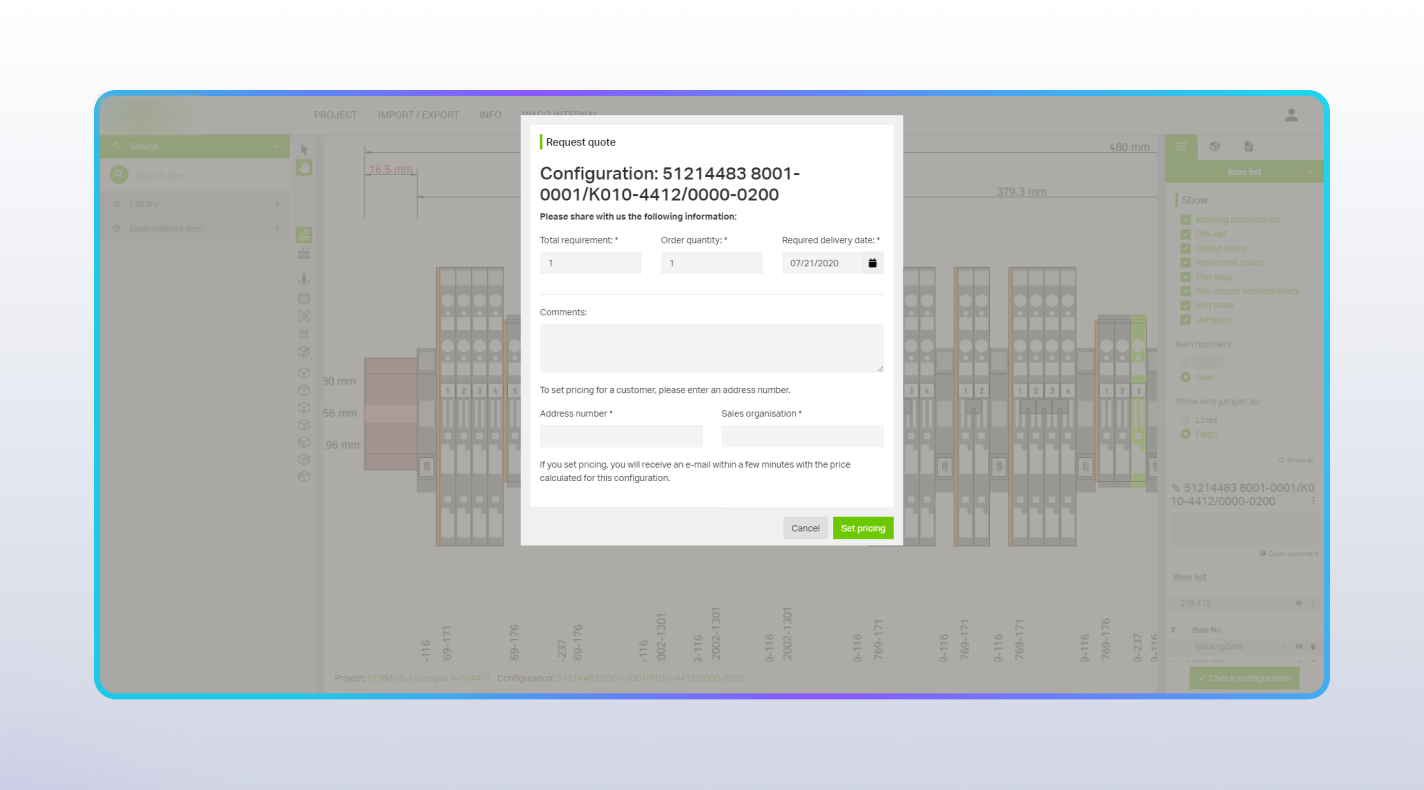
  • Reduced time required to calculate order costs and prepare specifications
  • Streamlined re-ordering processes through custom user libraries and item naming features
  • Improved overall performance and modernized the user interface

Ready to automate your engineering workflow?

Tell us about your technical challenges. We’ll listen to your needs, map out a realistic solution, and give you an honest assessment of how we can help.

30-minute call → roadmap → proposal within 5 days